USER GUIDE - CHORDFLOW
ChordFlow helps musicians organize setlists, edit songs, import chord sheets, and use the app comfortably during rehearsals or live performance.
- Add Song: Start a new song from scratch.
- Import Songs: Bring songs in from files, pasted text, links, or OCR.
- Setlists: Open your song collections.
- Tuner: Access the built-in tuner.
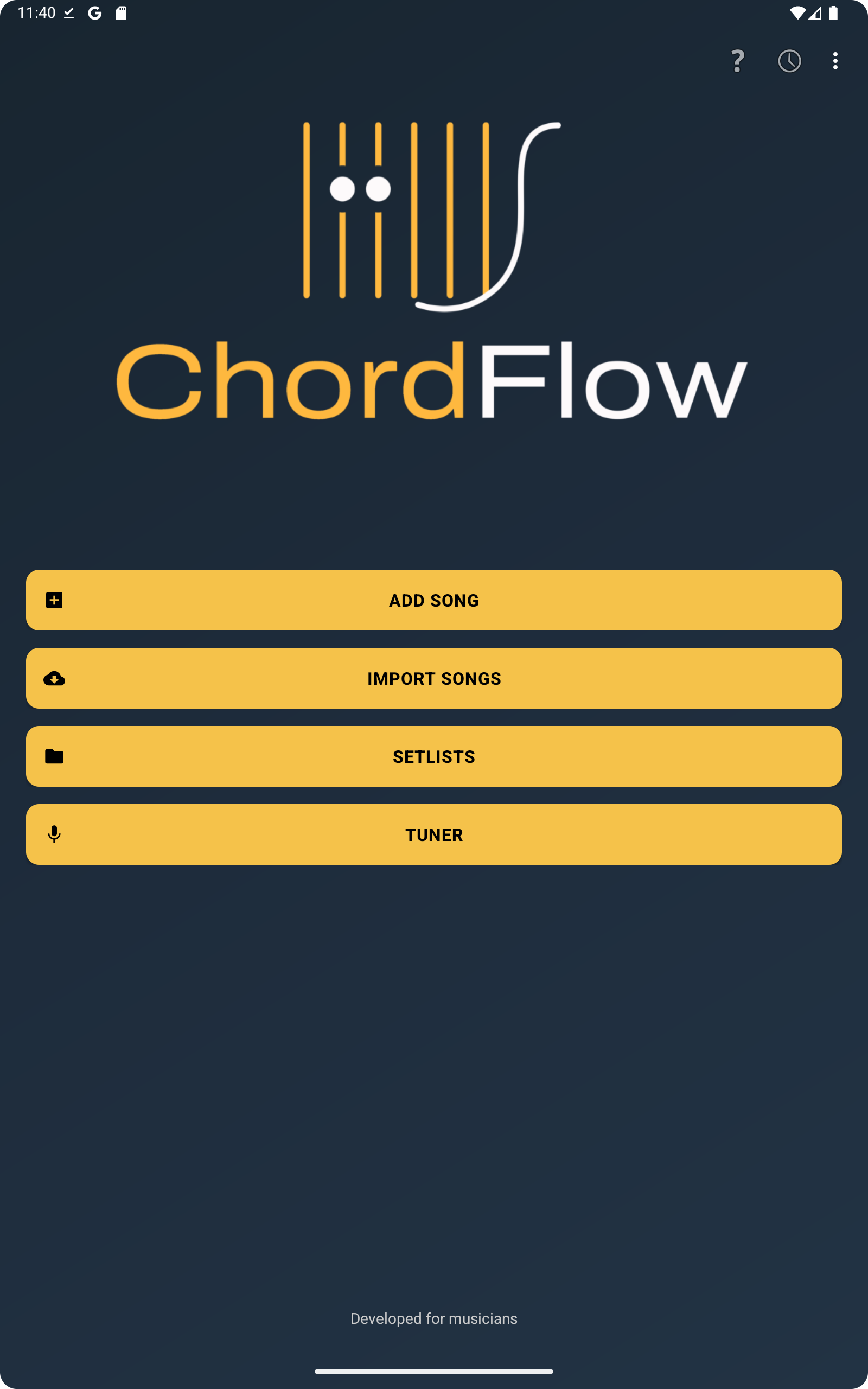
The setlists screen is where you manage your repertoires.
- View all created setlists.
- Tap the yellow
+button to create a new setlist. - Open a setlist to see the songs inside it.
- Long press a setlist to access extra actions such as deleting or exporting it.
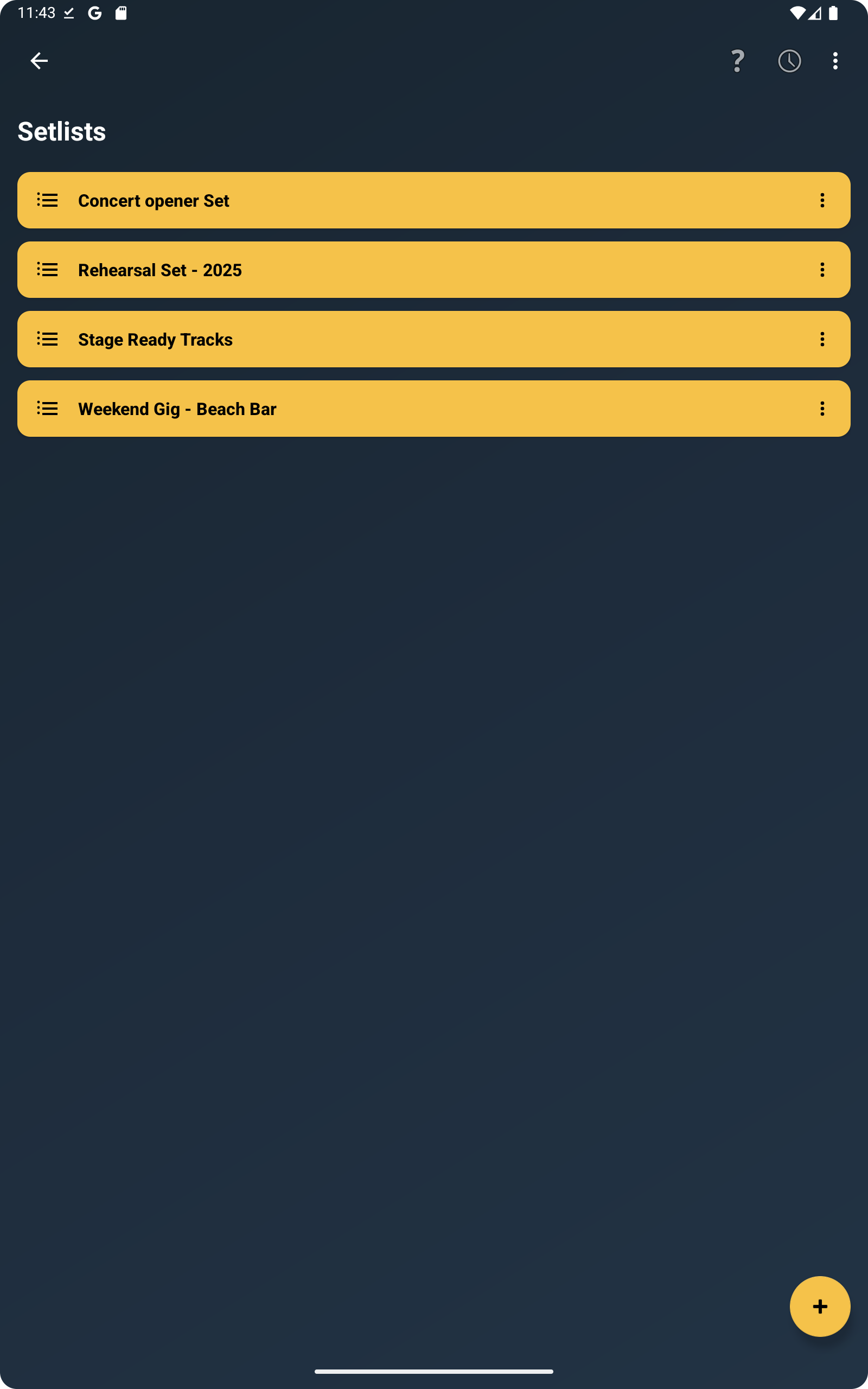
After opening a setlist, you will see the list of songs inside that repertoire.
- Use the search bar to find songs quickly.
- Tap any song to open it.
- The
+button opens options to add a song, select songs, sort alphabetically, or remove all songs. - When you choose select songs, you can send songs to another setlist, export them, share them, or remove them.
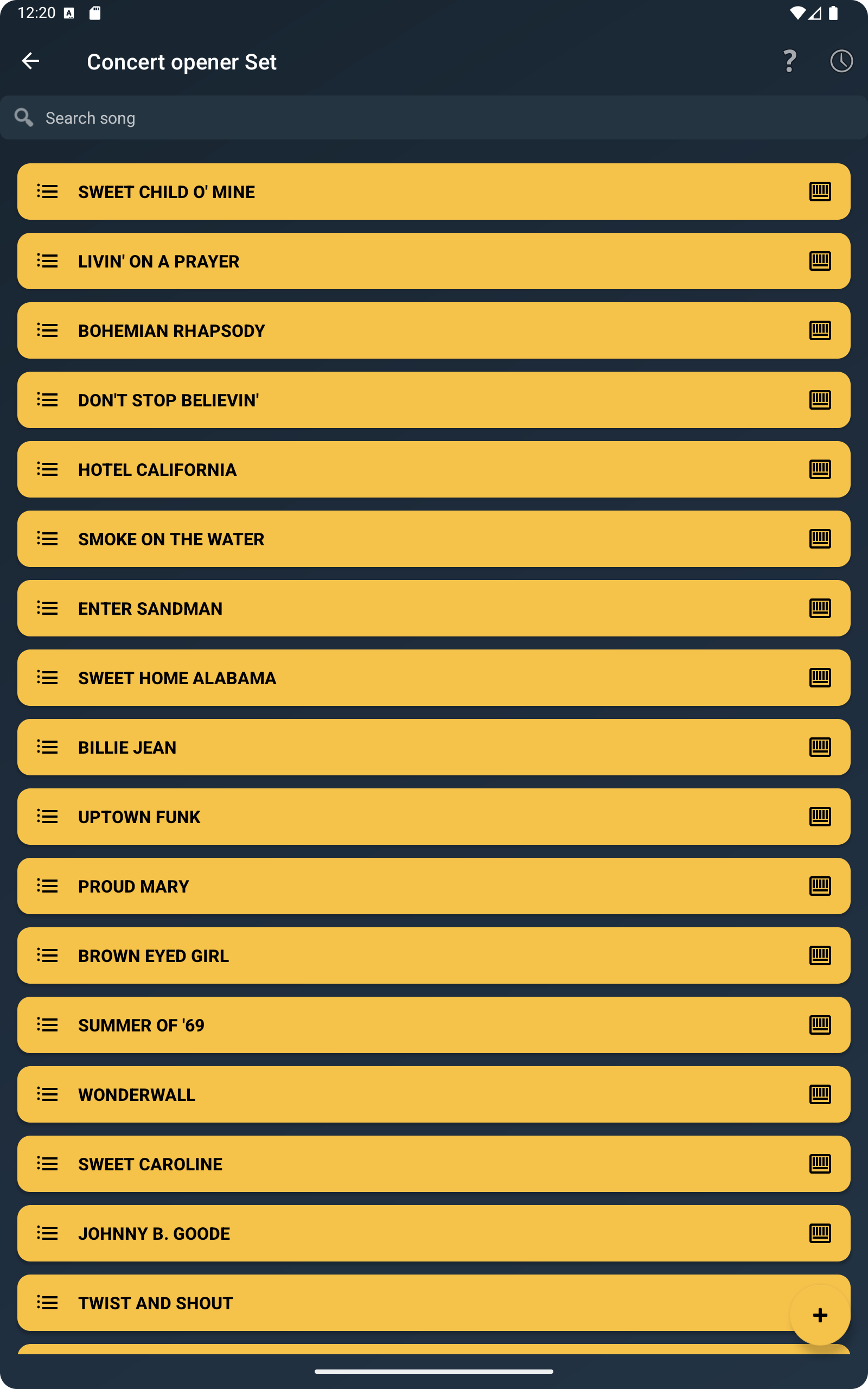
From the main menu, tap Add Song to choose the format you want to create.
- Add Chords by Section: For songs organized by intro, verse, chorus, bridge, and similar sections.
- Add Lyrics with Chords: For lyrics where the chord line appears directly above the words.
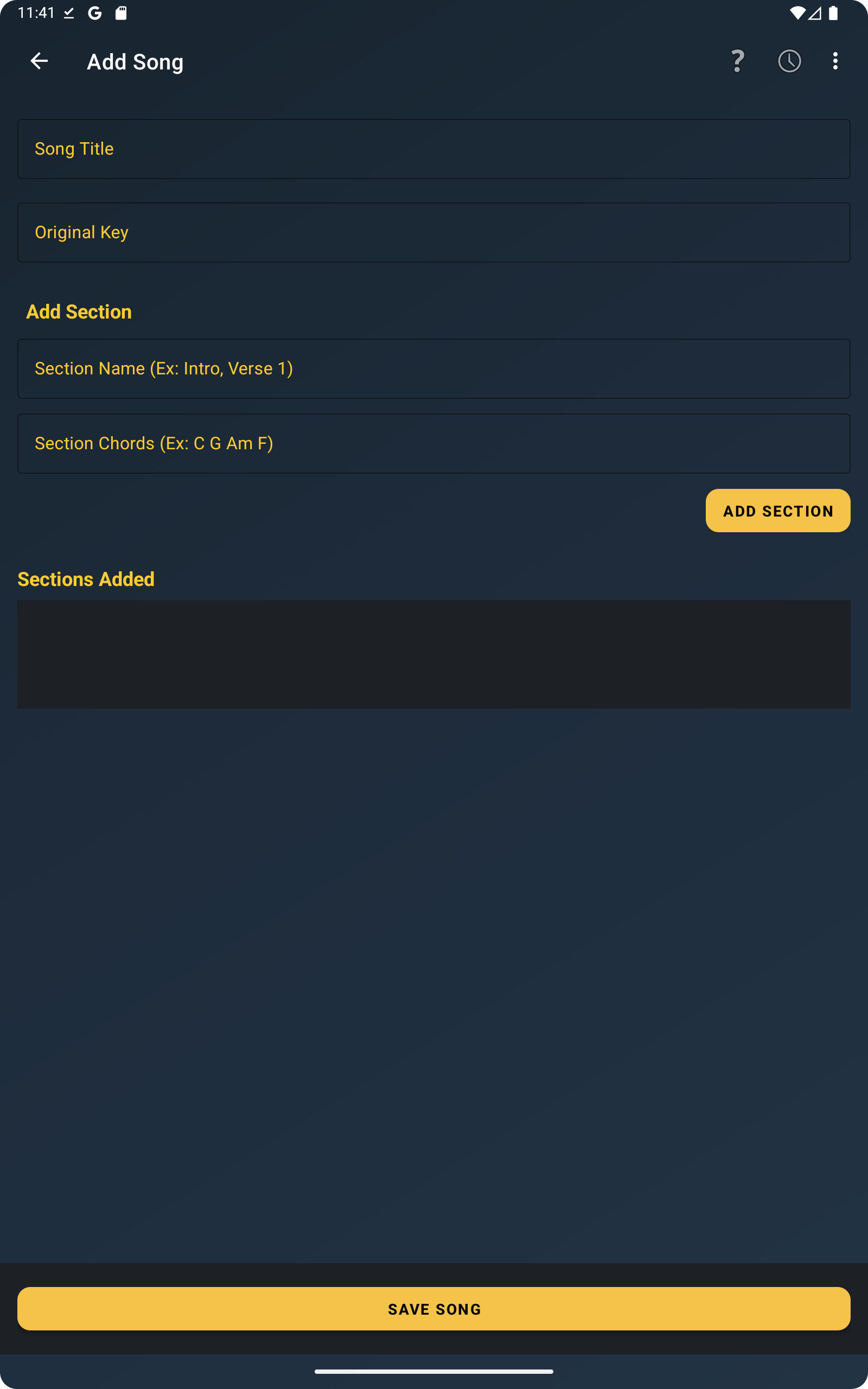
Use the section-based editor when you want a clean stage view with named sections and chord blocks.
- Enter the song title.
- Set the original key, such as
C,D, orAm. - Add sections like Intro, Verse, Chorus, or Bridge.
- Long press existing sections later to edit or remove them.
- Tap Save Song to store everything.
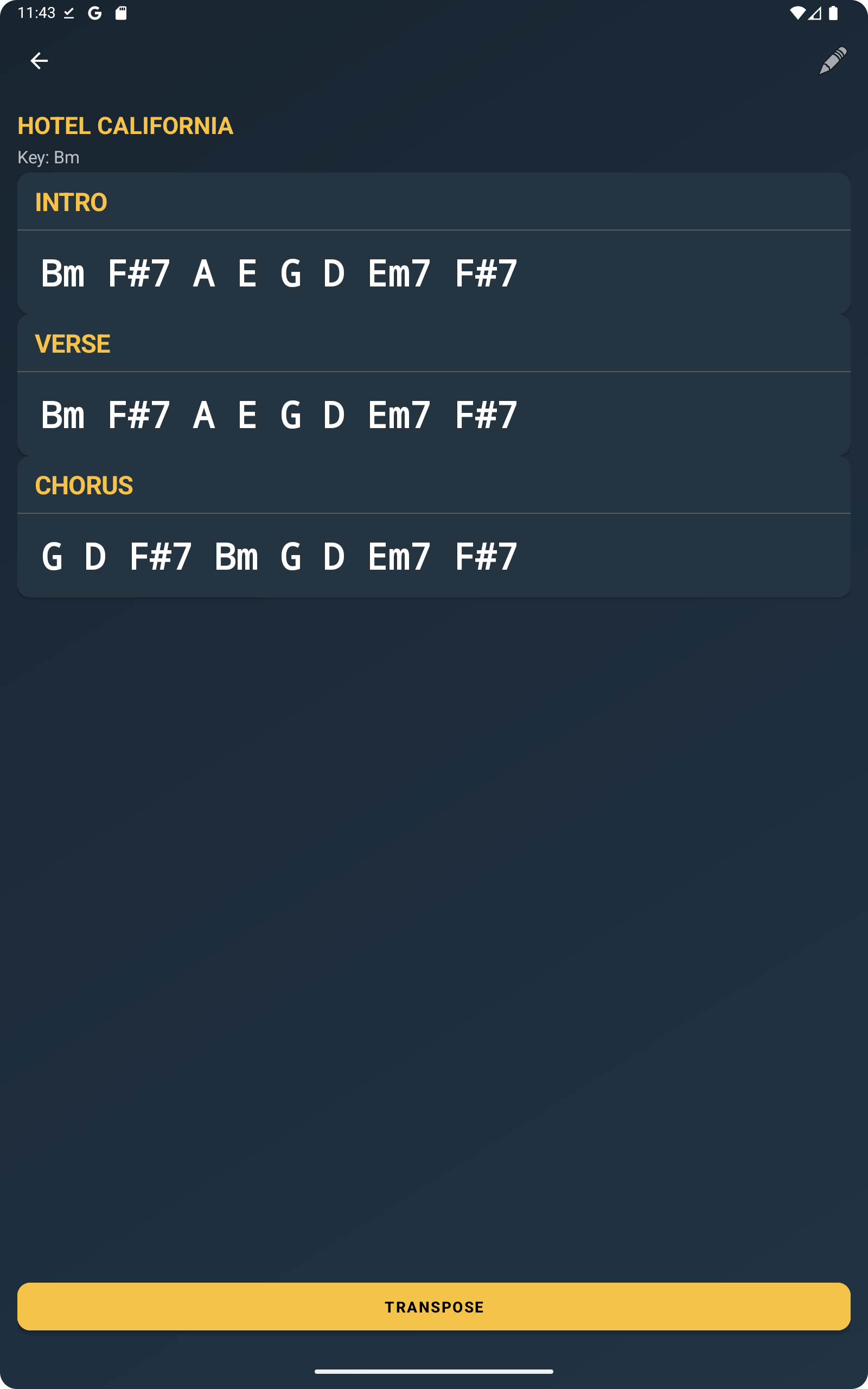
This is the main performance view, where ChordFlow shows the song ready to read and play.
- Scroll vertically through the full song.
- Pinch to zoom in or out.
- Double tap to reset zoom.
- Swipe from left to right to go back to the previous screen.
- Tap Transpose to change the key instantly.
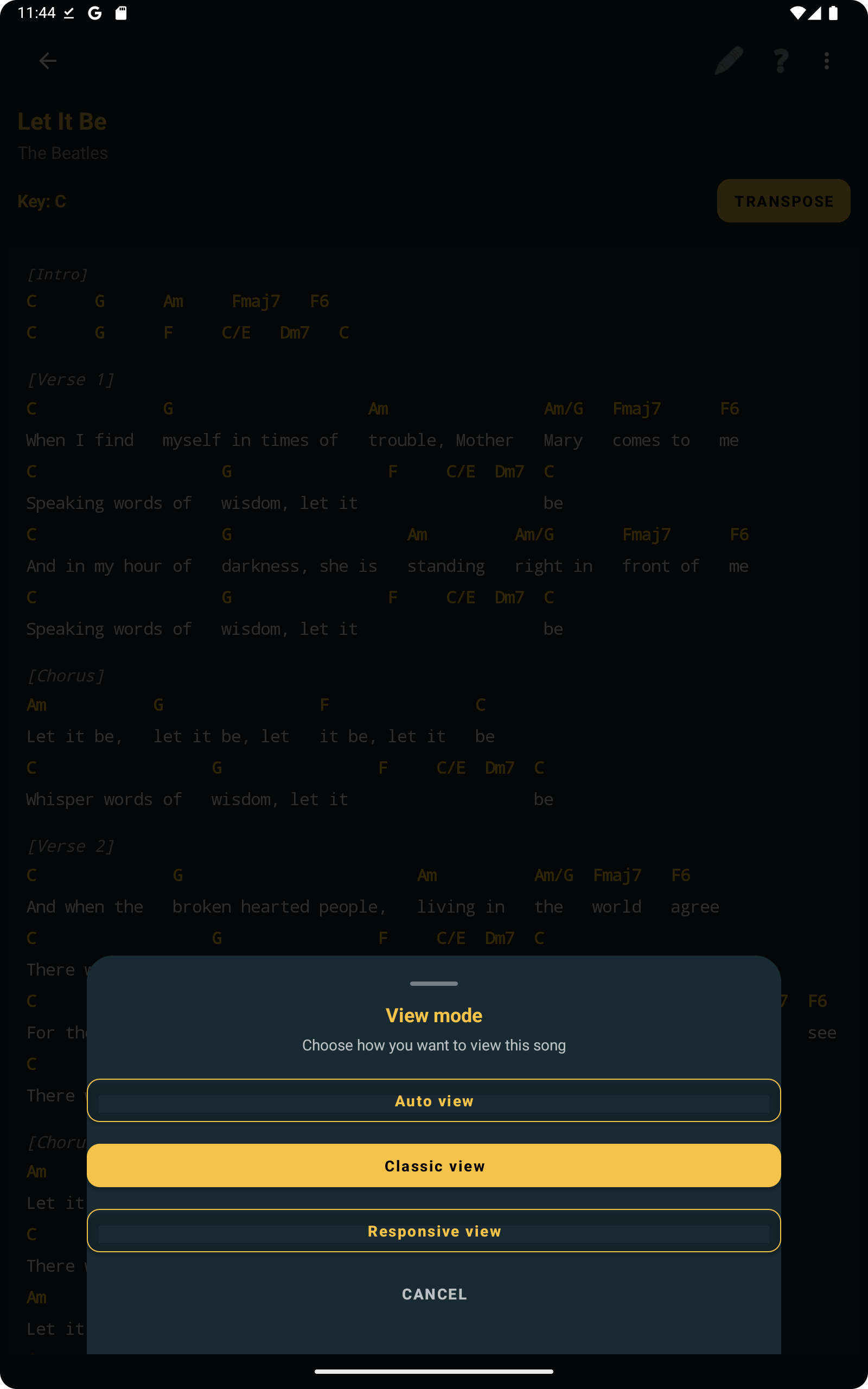
Inside the song view, you can switch between different visual layouts depending on your device and reading preference.
- Auto view: Lets the app choose the best layout automatically.
- Classic view: Keeps the more traditional chord sheet appearance.
- Responsive view: Adjusts the layout for easier reading on different screen sizes.
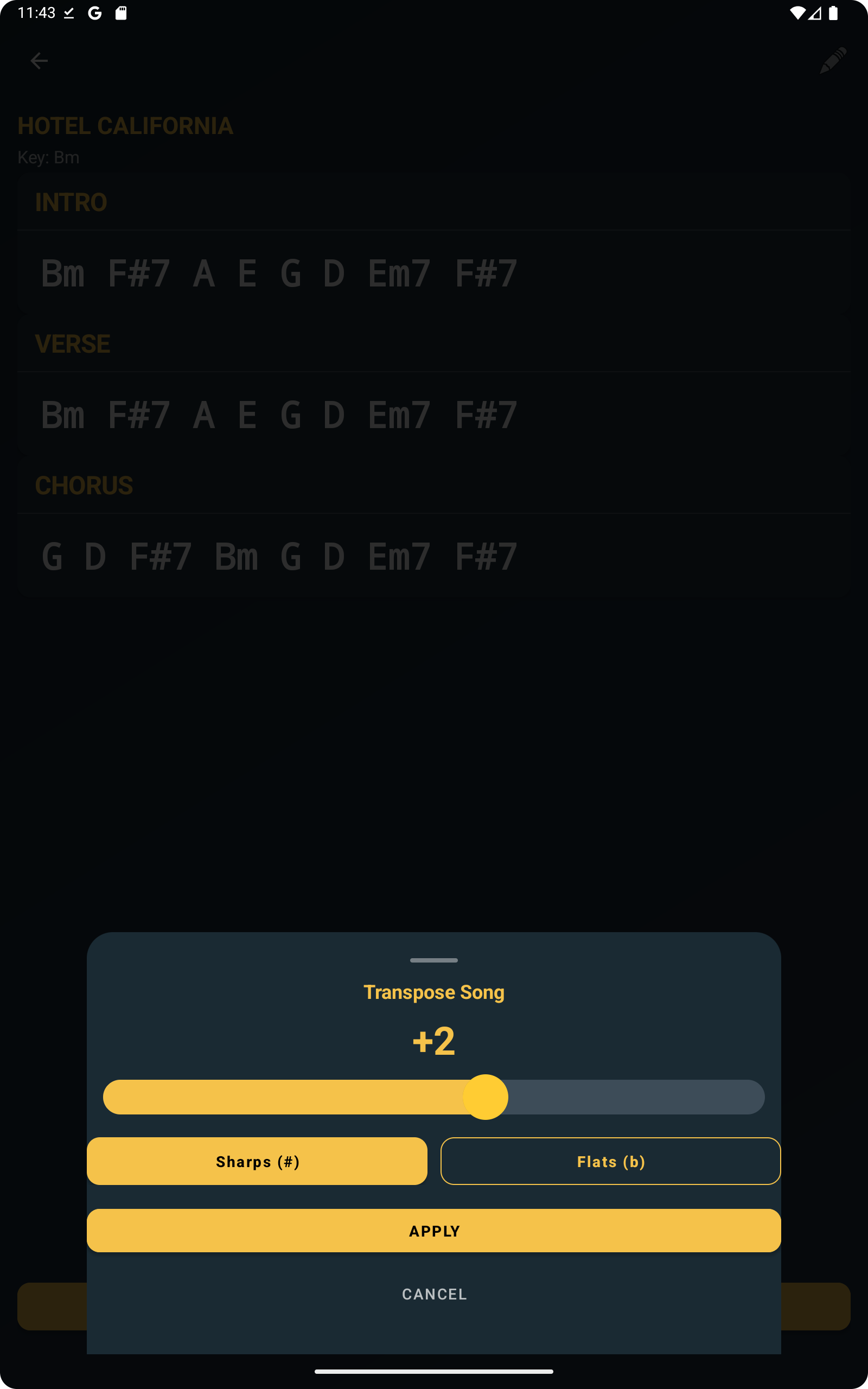
ChordFlow can transpose songs for different singers, instruments, or capo positions.
- Open a song in the details screen.
- Tap the Transpose button.
- Adjust the number of semitones.
- Choose sharp or flat notation when available.
- Apply the change and keep playing.
Transposition is especially useful when you need to adapt a song quickly without editing the original content.
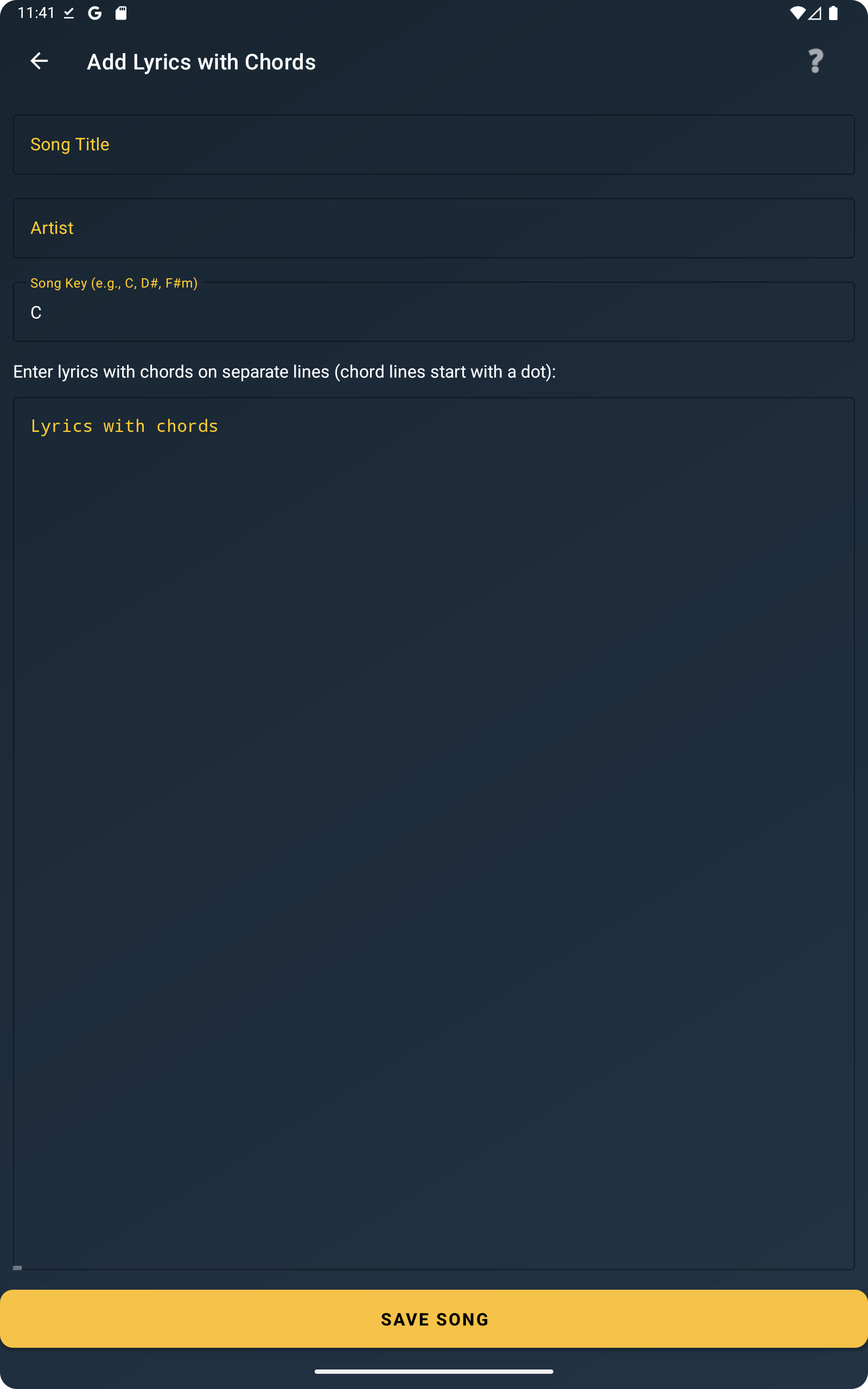
ChordFlow also supports songs where the chord line is aligned directly above the lyrics.
- Tap the
+button or choose Add Song. - Select Add Lyrics with Chords.
- Enter the title, artist, and song key.
- Write chord lines starting with a dot
.. - Use square brackets for sections, such as
[Verse]or[Chorus]. - Tap Save Song.
[Verse]
. C G Am F
Imagine there's no heaven
. C G Am F
It's easy if you try
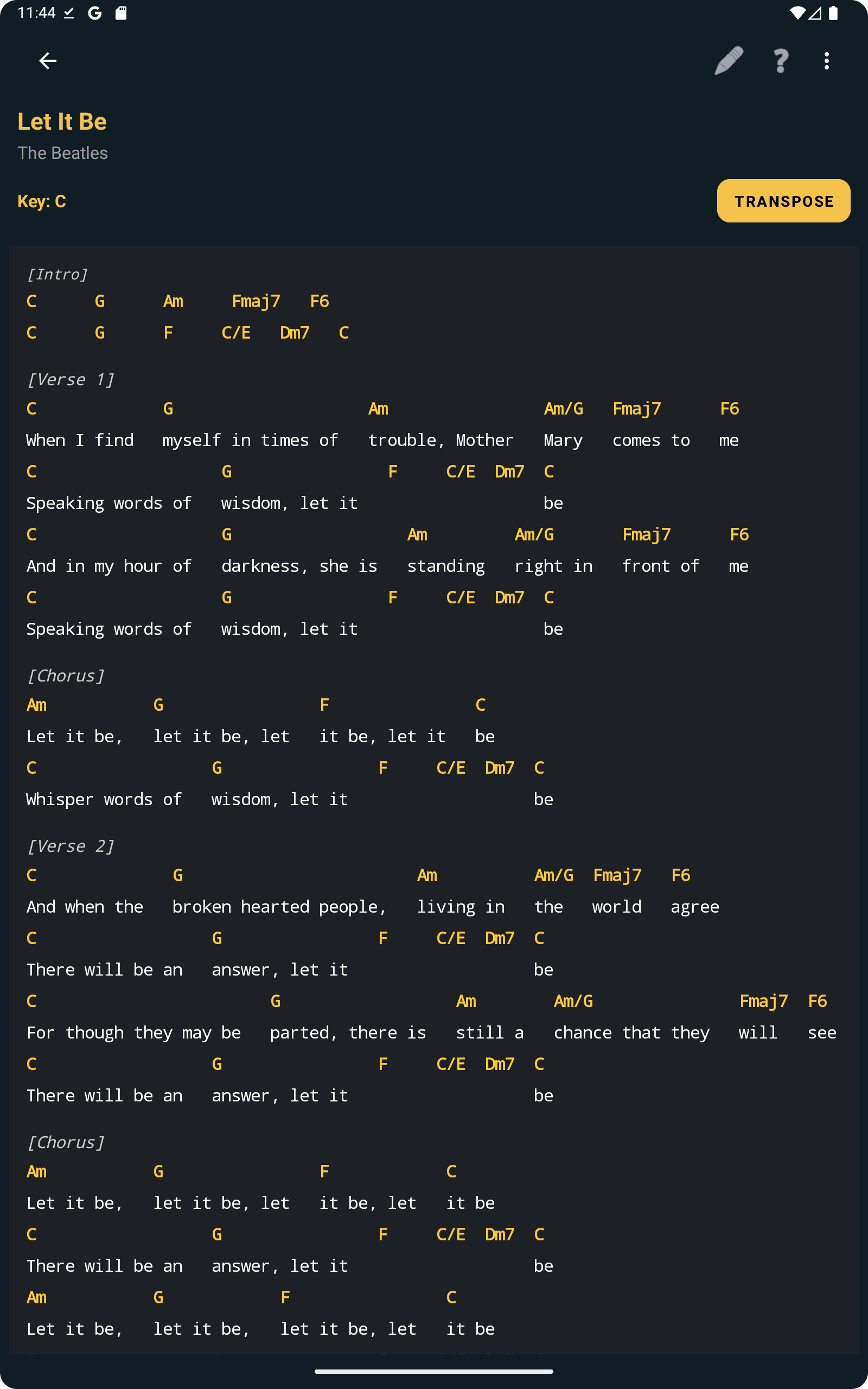
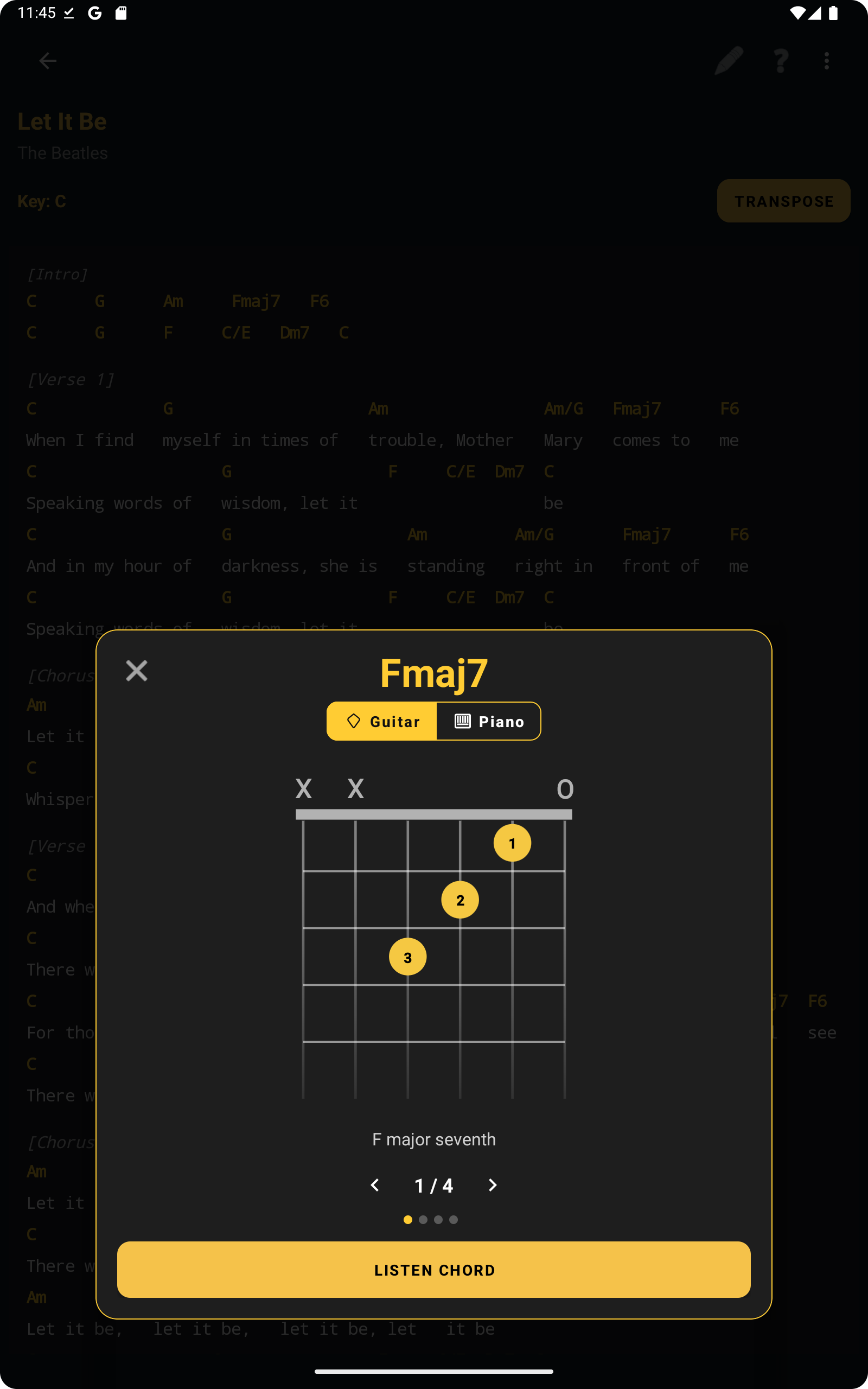
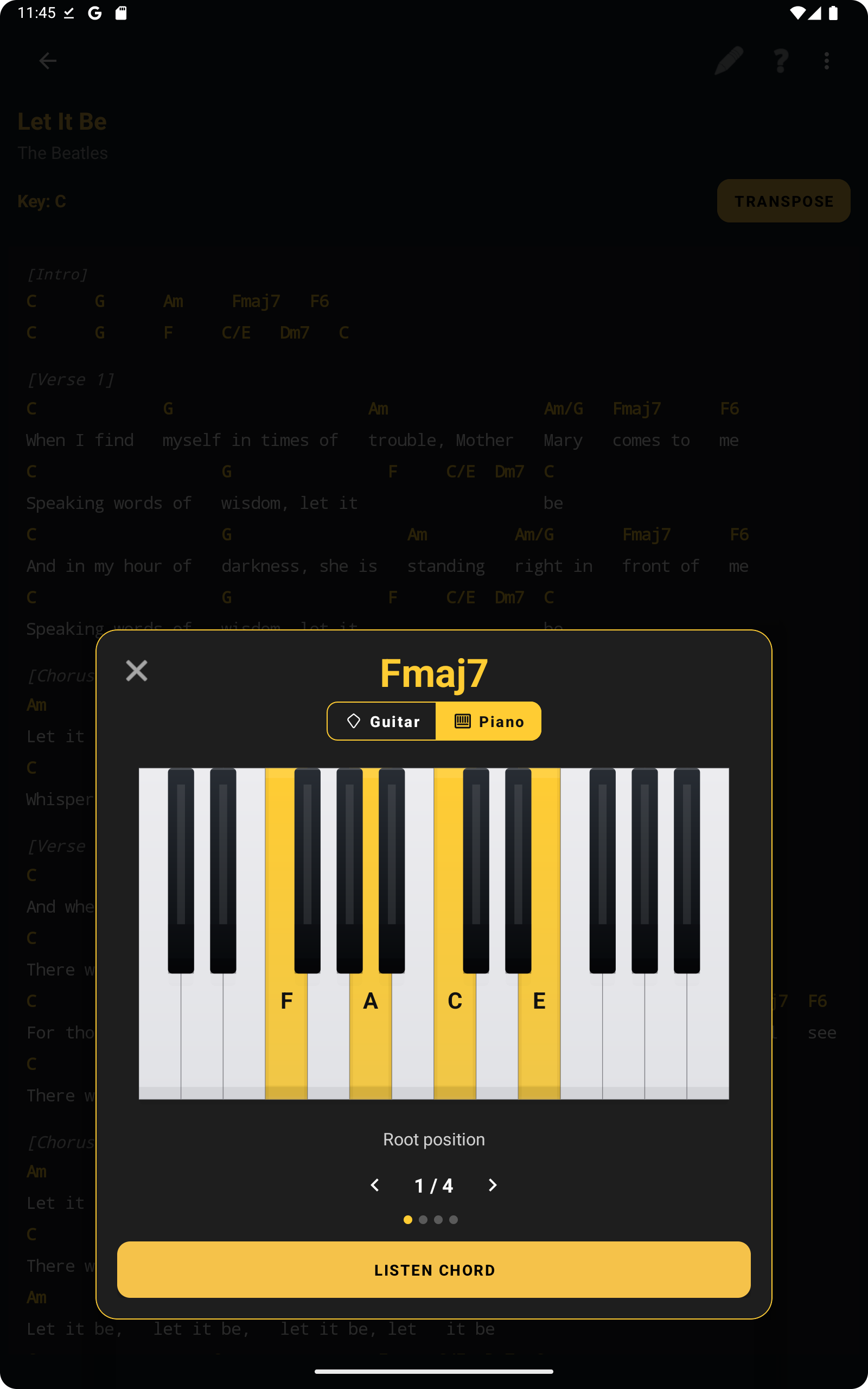
When a chord is available in the viewer, ChordFlow can show its shape on guitar and its notes on piano.
- Tap a chord in the song view to open the chord dialog.
- Switch between the Guitar and Piano tabs.
- Browse available voicings or inversions.
- Use Listen Chord to hear the chord when supported.
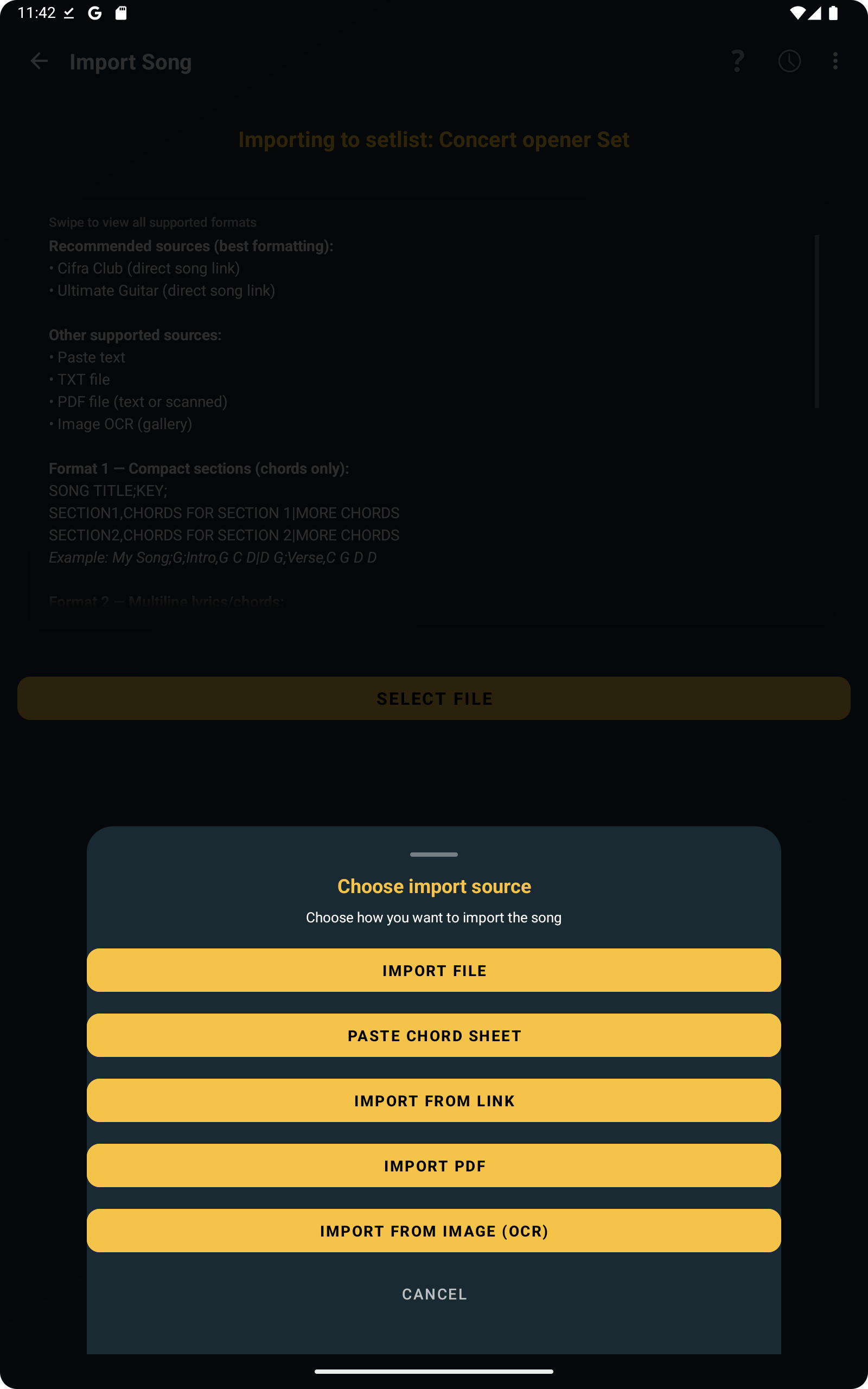
ChordFlow supports importing songs from files, pasted text, links, and image OCR, with a preview before saving.
- In the main menu, select Import Songs.
- Choose the import source.
- Review the detected content.
- Adjust title, artist, key, and format if needed.
- Save the imported song into the correct setlist.
- Import file
- Paste chord sheet
- Import from link
- Import PDF
- Import from image (OCR)
Examples of formats
TXT compact format: Separate songs with a blank line.
WONDERFUL TONIGHT;G;INTRO,G D C D G D C D|VERSE,G D C D G D C D|CHORUS,C D G Em C D G|
BOHEMIAN RHAPSODY;Bb;INTRO,Bbmaj7 Gm7 Cm7 F7|VERSE,Bbmaj7 Gm7 Cm7 F7|BRIDGE,Bbmaj7 Eb Bbmaj7 Eb|CHORUS,F7 Bbmaj7 Ebmaj7 Bbmaj7
TXT multiline format: Separate songs using the marker ===MUSIC_SEPARATOR===.
Hotel California (Dm)
Eagles
[Intro]
.Dm A7 C G A# F Gm A7
[Verse]
.Dm A7
On a dark desert highway...
...
===MUSIC_SEPARATOR===
Can't Help Falling in Love (G)
Elvis Presley
[Intro]
.G D Em C G D G
...
PDF: Works with selectable-text PDFs and scanned PDFs converted through OCR.
- Use zoom on the song details screen to fit your needs.
- Prevent screen timeout during rehearsals and performances.
- Use swipe gestures to move quickly through your workflow.
- Organize songs into themed setlists for faster access on stage.
Try our song format examples. Download the files below and test the import feature in the ChordFlow app.
The Windows version of ChordFlow is distributed through an installer that simplifies setup. You may still see Windows Defender or SmartScreen warnings because the app is not signed with a commercial certificate.
- Download the installer from the website.
- If SmartScreen appears, click More info.
- Then click Run anyway.
- Follow the installation wizard.
- After installation, ChordFlow will be available in the Windows Start menu.
Important: ChordFlow does not collect personal data and works fully offline.
You can also read our Privacy Policy for more information.
You can speed up song preparation with tools like ChatGPT or Gemini. Ask the AI to generate songs in one of the formats recognized by ChordFlow, then import the file directly into the app.
For lyrics with chords:
John Lennon
[Intro]
.C F C F
[Verse]
.C F C F
Imagine there's no heaven
.C F C F
It's easy if you try
===MUSIC_SEPARATOR===
For chord sections:
If you want quick access to setlists, chords, lyrics, and transpose tools during rehearsal, the Android app keeps everything ready in one place.
Free · No ads · Works offline